

目录
- 下拉列表
- 基本示例
- 在Kv中扩展下拉菜单
DropDownDropDown.add_widget()DropDown.attach_toDropDown.auto_dismissDropDown.auto_widthDropDown.clear_widgets()DropDown.containerDropDown.dismiss()DropDown.dismiss_on_selectDropDown.max_heightDropDown.min_state_timeDropDown.on_motion()DropDown.on_touch_down()DropDown.on_touch_move()DropDown.on_touch_up()DropDown.open()DropDown.remove_widget()DropDown.select()
下拉列表
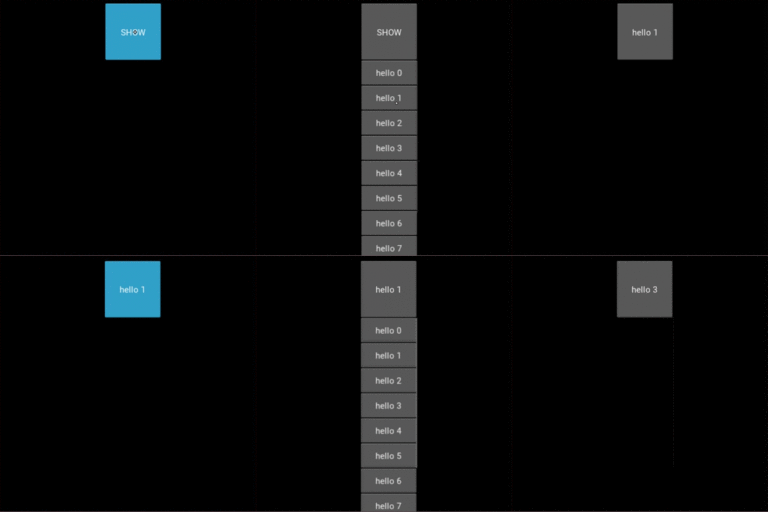
在 1.4.0 版本加入.
一个多功能的下拉列表,可与自定义控件配合使用。它允许你在显示的控件下方展示一系列控件。与其他工具包不同,这里的控件列表可以包含任何类型的控件:简单的按钮、图片等。
下拉列表的定位是全自动的:我们始终会尝试以用户能够从列表中选择项目的方式来放置下拉列表。
基本示例
一个带有10个可选值的下拉列表按钮。下拉列表中的所有按钮都会触发下拉框的 DropDown.select() 方法。调用后,主按钮的文本将显示下拉框的选择结果。
from kivy.uix.dropdown import DropDown
from kivy.uix.button import Button
from kivy.base import runTouchApp

# create a dropdown with 10 buttons
dropdown = DropDown()
for index in range(10):
    # When adding widgets, we need to specify the height manually
    # (disabling the size_hint_y) so the dropdown can calculate
    # the area it needs.

    btn = Button(text='Value %d' % index, size_hint_y=None, height=44)

    # for each button, attach a callback that will call the select() method
    # on the dropdown. We'll pass the text of the button as the data of the
    # selection.
    btn.bind(on_release=lambda btn: dropdown.select(btn.text))

    # then add the button inside the dropdown
    dropdown.add_widget(btn)

# create a big main button
mainbutton = Button(text='Hello', size_hint=(None, None))

# show the dropdown menu when the main button is released
# note: all the bind() calls pass the instance of the caller (here, the
# mainbutton instance) as the first argument of the callback (here,
# dropdown.open.).
mainbutton.bind(on_release=dropdown.open)

# one last thing, listen for the selection in the dropdown list and
# assign the data to the button text.
dropdown.bind(on_select=lambda instance, x: setattr(mainbutton, 'text', x))

runTouchApp(mainbutton)
在Kv中扩展下拉菜单
你可以直接从你的kv文件中创建下拉菜单:
#:kivy 1.4.0
<CustomDropDown>:
    Button:
        text: 'My first Item'
        size_hint_y: None
        height: 44
        on_release: root.select('item1')
    Label:
        text: 'Unselectable item'
        size_hint_y: None
        height: 44
    Button:
        text: 'My second Item'
        size_hint_y: None
        height: 44
        on_release: root.select('item2')
然后,创建关联的Python类并使用它:
class CustomDropDown(DropDown):
    pass

dropdown = CustomDropDown()
mainbutton = Button(text='Hello', size_hint=(None, None))
mainbutton.bind(on_release=dropdown.open)
dropdown.bind(on_select=lambda instance, x: setattr(mainbutton, 'text', x))
- class kivy.uix.dropdown.DropDown(**kwargs)[源代码]
基类:
ScrollViewDropDown 类。更多信息请参阅模块文档。
- 事件:
- on_select:数据
当选择完成时触发。所选数据作为第一个参数传入,即您在
select()方法中作为第一个参数传入的内容。- on_dismiss:
在 1.8.0 版本加入.
当 DropDown 被关闭时触发,无论是通过选择还是点击组件外部。
- add_widget(*args, **kwargs)[源代码]
将此小部件添加为当前小部件的子级。
- 参数:
- widget:
Widget 要添加到我们子控件列表中的控件。
- index:整数,默认值为0
在列表中插入控件的索引。请注意,默认值为0意味着控件被插入到列表的开头,因此会绘制在其他同级控件之上。关于索引和控件层次结构的完整讨论,请参阅 控件编程指南。
在 1.0.5 版本加入.
- canvas:字符串,默认为 None
用于添加控件画布的Canvas。可以是'before'、'after'或None以使用默认画布。
在 1.9.0 版本加入.
- widget:
>>> from kivy.uix.button import Button
>>> from kivy.uix.slider import Slider
>>> root = Widget()
>>> root.add_widget(Button())
>>> slider = Slider()
>>> root.add_widget(slider)
- auto_dismiss
默认情况下,当下拉菜单外部发生触摸时,它会自动关闭。此选项允许禁用这一功能。
auto_dismiss是一个BooleanProperty,默认值为 True。在 1.8.0 版本加入.
- auto_width
默认情况下,下拉菜单的宽度将与所附加的控件宽度相同。如果你想自定义宽度,请将其设置为False。
auto_width是一个BooleanProperty,默认值为 True。
- clear_widgets(*args, **kwargs)[源代码]
移除该控件的所有(或指定的):attr:~Widget.children。如果指定了'children'参数,它应为当前控件子项的一个列表(或过滤后的列表)。
在 1.8.0 版本发生变更: children 参数可用于指定你想要移除的子项。
在 2.1.0 版本发生变更: 指定一个空的``children``列表不会改变现有控件。此前,它会被视为``None``,从而移除所有子控件。
- container
(内部)属性,将被设置为下拉列表的容器。默认情况下,它是一个
GridLayout。
- dismiss_on_select
默认情况下,当做出选择后,下拉菜单会自动关闭。设置为False可阻止其关闭。
dismiss_on_select是一个BooleanProperty,默认值为 True。
- max_height
指示下拉菜单可以占用的最大高度。如果为None,它将占用直到屏幕顶部或底部为止的最大可用高度。
max_height是一个NumericProperty,默认值为 None。
- min_state_time
在关闭
DropDown之前的最短时间。这用于允许下拉框内的部件显示按下状态,或让DropDown本身显示关闭动画。min_state_time是一个NumericProperty,默认值为 Config 中的 min_state_time 配置项。在 1.10.0 版本加入.
- on_motion(etype, me)[源代码]
当接收到一个运动事件时调用。
- 参数:
- etype:str
事件类型,取值为"begin"、"update"或"end"之一。
- me:
MotionEvent 收到运动事件
- 返回:
bool 类型,值为 True 时停止事件分发。
在 2.1.0 版本加入.
警告
这是一个实验性方法,只要此警告存在,它就一直处于实验状态。
- on_touch_down(touch)[源代码]
接收触摸按下事件。
- 参数:
- touch:
MotionEvent类 收到触摸事件。该触摸位于父级坐标系中。关于坐标系统的讨论,请参阅
relativelayout。
- touch:
- 返回:
bool 如果为 True,触摸事件的派发将停止。如果为 False,事件将继续派发给控件树中的其余部分。
- on_touch_move(touch)[源代码]
接收触摸移动事件。触摸坐标位于父坐标系中。
更多信息请参阅
on_touch_down()。
- on_touch_up(touch)[源代码]
接收触摸抬起事件。触摸坐标位于父级坐标系中。
更多信息请参阅
on_touch_down()。